
Taito Cocktail
Space Invaders
PCB + Power Supply
voltage measurements
last updated June 24, 2016
Taito Cocktail
Space Invaders
PCB + Power Supply
voltage measurements
last updated June 24, 2016
IF YOU HAVE A MIDWAY MACHINE, CLICK HERE!
|
**********Disclaimer:
***********
The information contained in this website is for general information purposes only. The information is provided by andys-arcade and whilst we endeavour to keep the information up-to-date and correct, we make no representations or warranties of any kind, express or implied, about the completeness, accuracy, reliability, suitability or availability with respect to the website or the information, products, services, or related graphics contained on the website for any purpose. Any reliance you place on such information is therefore strictly at your own risk. In no event will we be liable for any loss or damage including without limitation, indirect or consequential loss or damage, or any loss or damage whatsoever arising from loss of profits arising out of or in connection with the use of this website. |
| INTRO
: In order to confirm the correct operation of your space invaders cocktail, or to determine which major part is at fault, it is neccesary to measure the voltages coming fromyour power supply. The easiest and safest way to do this, is the main aim of this page. |
|
|
Taito Machines this is applicable
to: |
|
|
WHAT YOU WILL
NEED: |
|
| Firstly, open your cocktail table and locate the game pcb on the left hand side. |  |
|
The [G] connector is nearest
to you, the [T] connector is plugged into the lower pcb at the opposite
end to the [G] connector. We are starting our measurements
at the [G] connector, you do not need to unplug anything at this time,
you simply probe the gold pads on the pcb with the power switched on.
Do not touch anything in the right hand side of the cabinet, there are
live and exposed voltages here, you risk electrocution if you do. The pin numbering starts with 1 on the left, count up towards the right to find your pin number. Place your BLACK probe on either pins 1, 2 or 3 (either is fine, BLACK wires) and then follow the instruction table below, moving the RED probe: |
|
|
photo
|
Pin
|
harness
wire colour
|
voltage
|
acceptable
range |
used
for
|
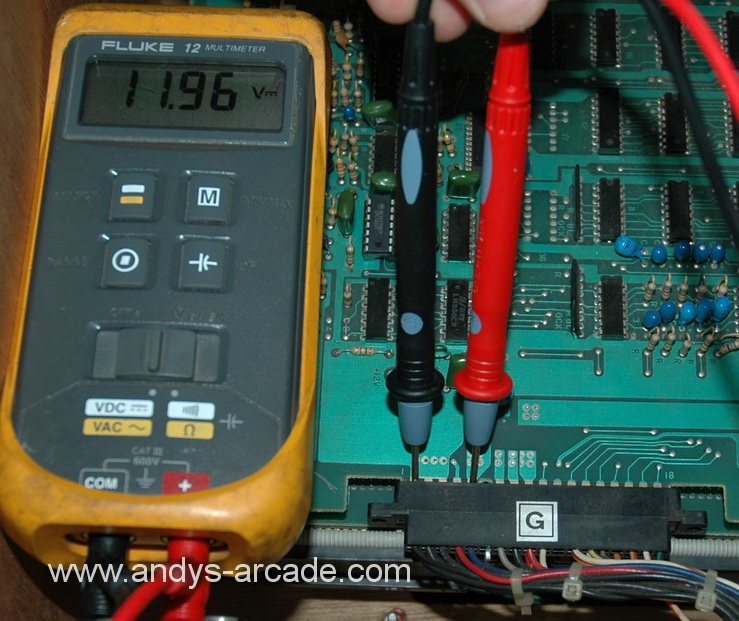 |
5
|
Blue
|
12v
|
11.1->12.8
|
voltage for sound op-amps |
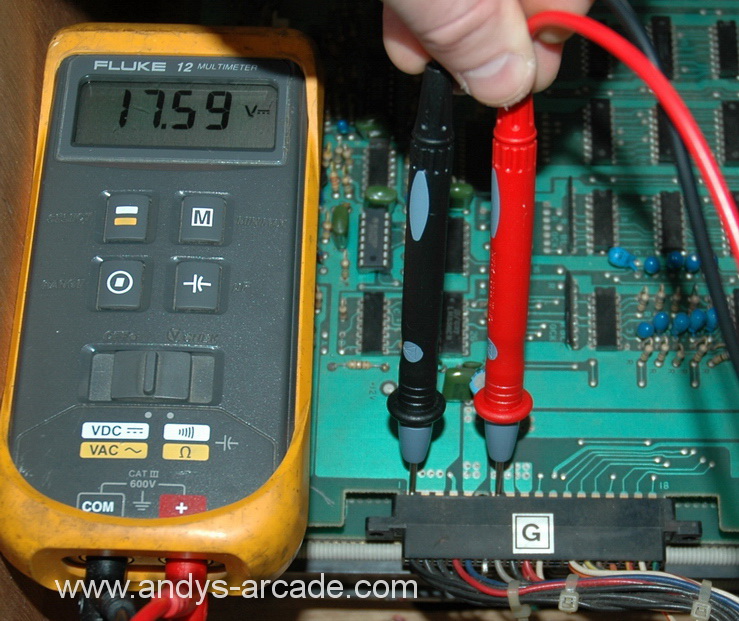 |
7
|
Grey
|
18v
|
11v->20v OR 0v for Space invaders part 2 |
Audio amplifier.
Depending on how your cabinet is wired, this might be wired to the 12v
which is fine. ***IMPORTANT*** SPACE INVADERS PART II PCBS do not use this voltage or pin. You may read a voltage but it is not needed for correct operation. |
 |
9
|
Red
|
5v
|
4.9 ->
5.1
|
TTL Logic |
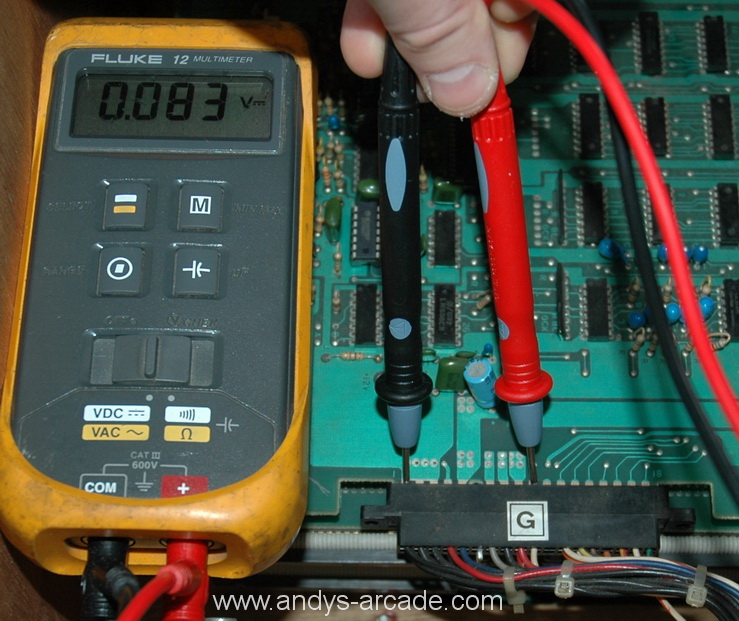 |
10
|
White
|
POR
|
0v->0.1v
|
Power-on-Reset signal, this must be logic level LOW for the game to boot and run, ie it should be close to 0v. |
|
Now you have done the [G] connector measurements, you need to do the same for the [T] connector. Because this connector is hard to get to, it is neccesary to unplug the [T] connector to get at it. |
|
| Because it is not wise to have the pcb powered up with just one connector, you should unplug the [G] connector at this time as well. |
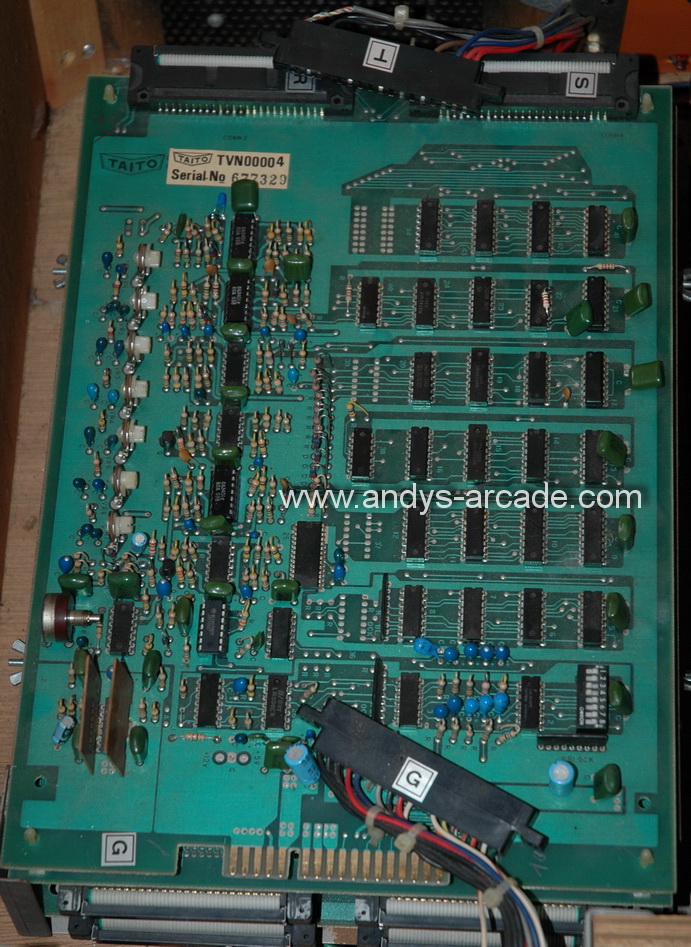 |
|
Ignore the [G] connector for now, you need to take measurements on the [T] connector as indicated in the table below. CAUTION - be careful not to force your probe leads into the T connector, this can bend or break the pins inside the housing causing a bad connection when you re-connect. Just touch them on. The pin numbering starts with 1 on the RIGHT, count up towards the LEFT to find your pin number. place your black probe on pin 15 (BLACK WIRES) and then follow the instruction table below moving your RED probe: |
|
|
photo
|
Pin
|
harness
wire colour
|
voltage
|
acceptable
range |
used for
|
 |
1,2
|
RED
|
5v
|
4.9 ->
5.1
|
TTL Logic |
 |
3
or 4
|
Blue
|
12v
|
11.1->12.8
|
RAM and op-amps |
 |
5
|
Brown
|
-5v
|
-4.9v ->
-5.1v
|
RAM |
|
Summary
|
|
And thats just about it! If you have measured everything described on this page correctly and your game still doesn't boot up, then your game pcb is probably bad. If you are not measuring what you see above then your PSU will be bad, but also your game pcb could also be bad as well. I do repair these pcbs on a regular basis, so please enquire if you need assistance. I do also sell working pcbs and parts and will take your faulty pcb as a trade-in against a fully working board. |
